Screenshot Tour
Click any screenshot to see it full size.
Screenshots are from the live application. Voter names and addresses are fictional, and maps are blurred here to protect real data; in the app they are sharp. Real voter data is never published.
Map data © OpenStreetMap contributors · Satellite imagery: Esri, Maxar, Earthstar Geographics, and the GIS User Community.
Maps & Overlays
See your whole universe at a glance. Toggle color-coded layers on any property, from voter age and support to turnout and more.
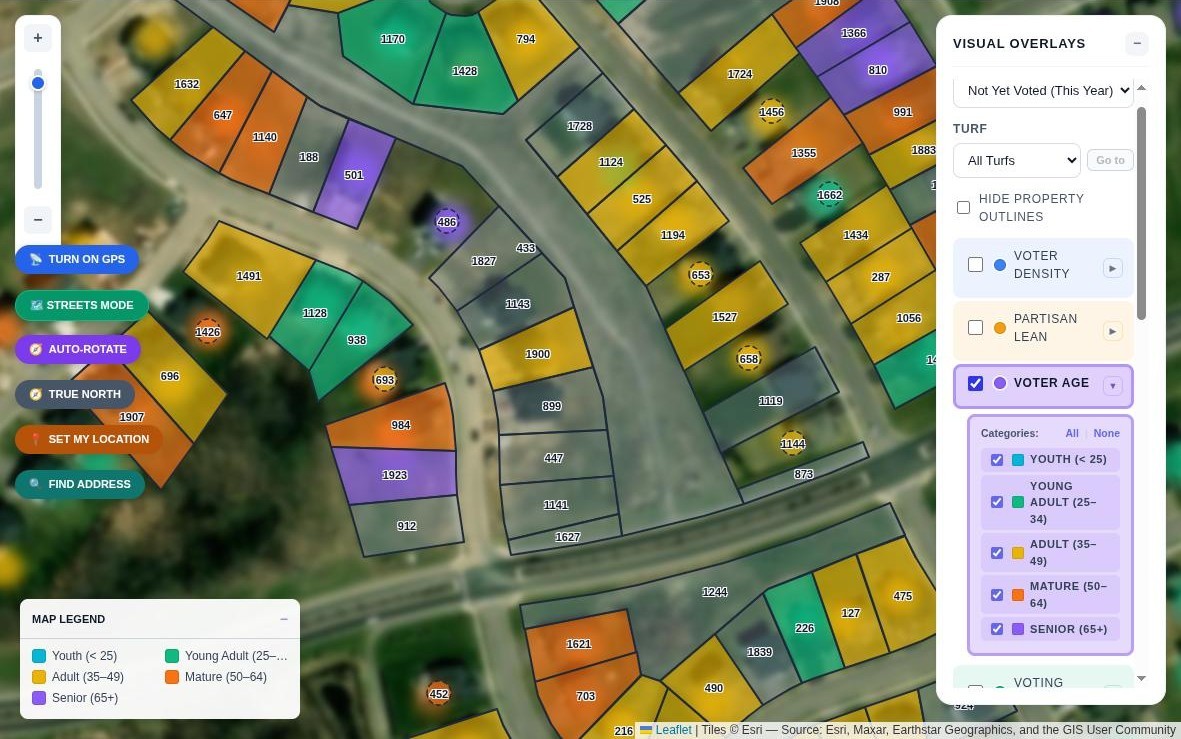 Click to view
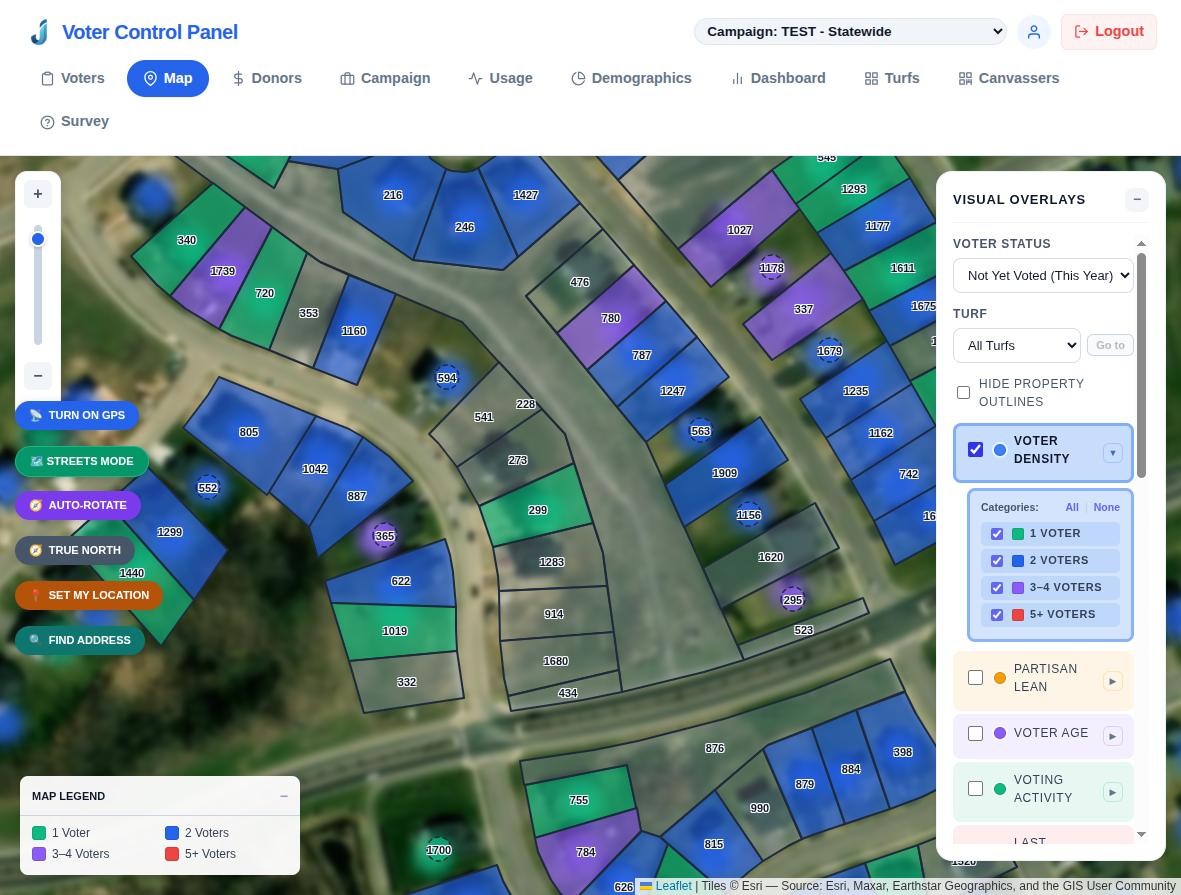 Click to view
Turfs & Walking Routes
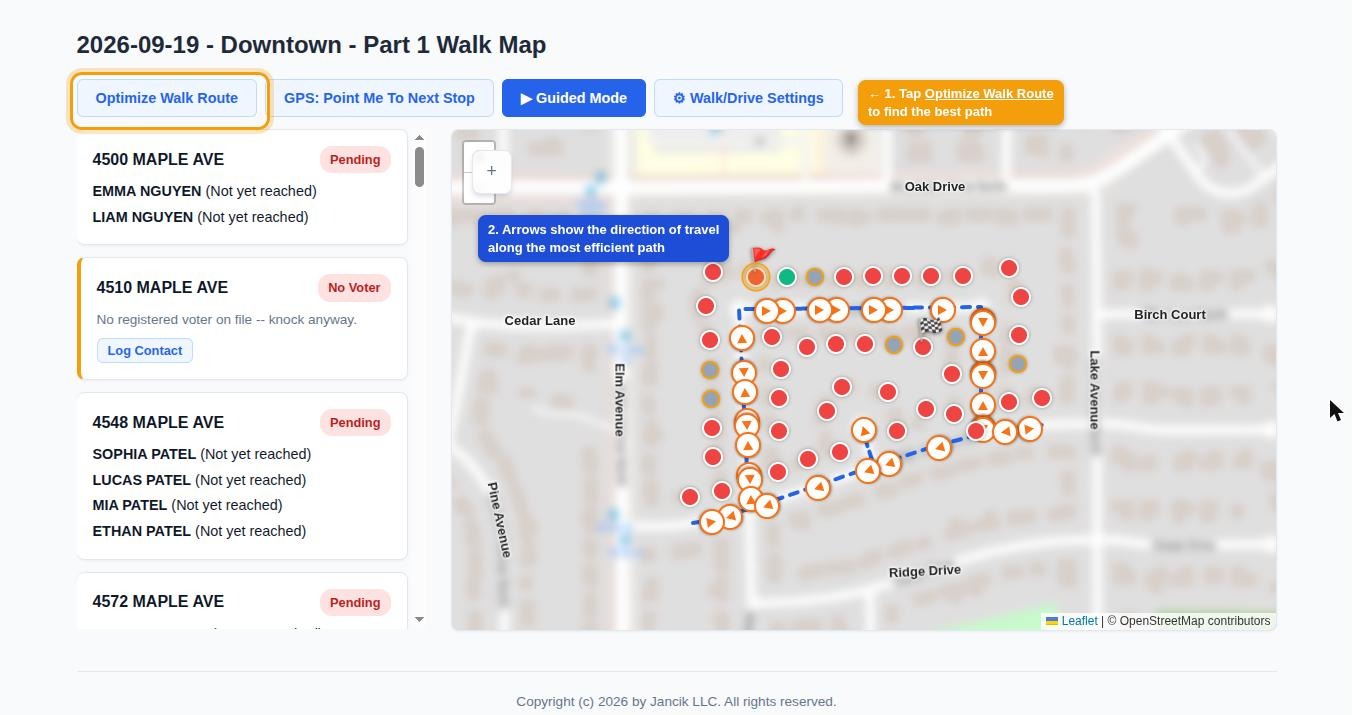
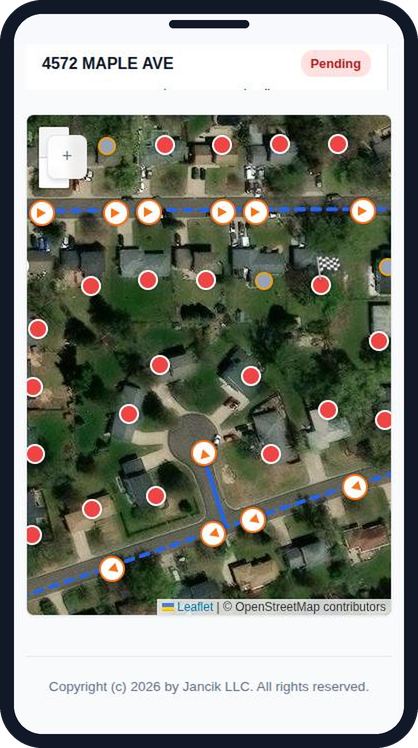
Draw or auto-split turfs into balanced walk lists, then let the system find the most efficient path. Routes follow real streets and walking paths, avoiding awkward crossings and backtracking.
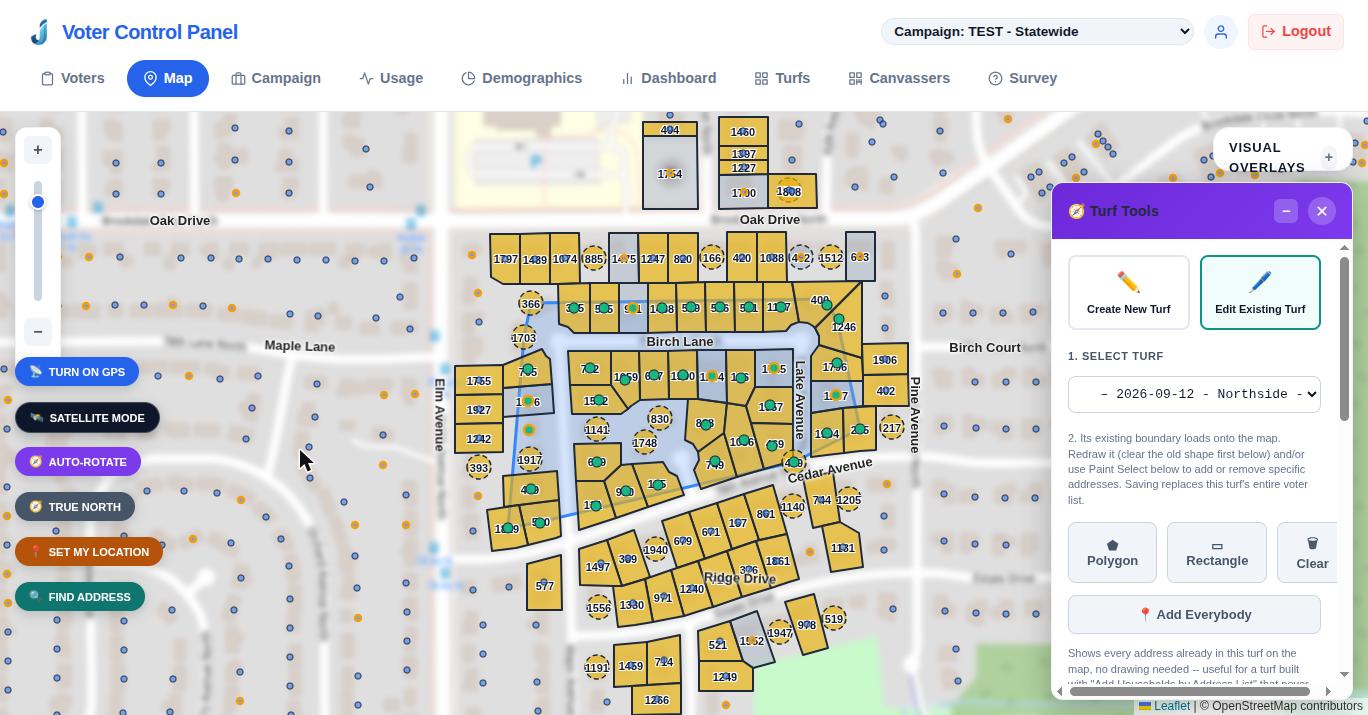 Click to view
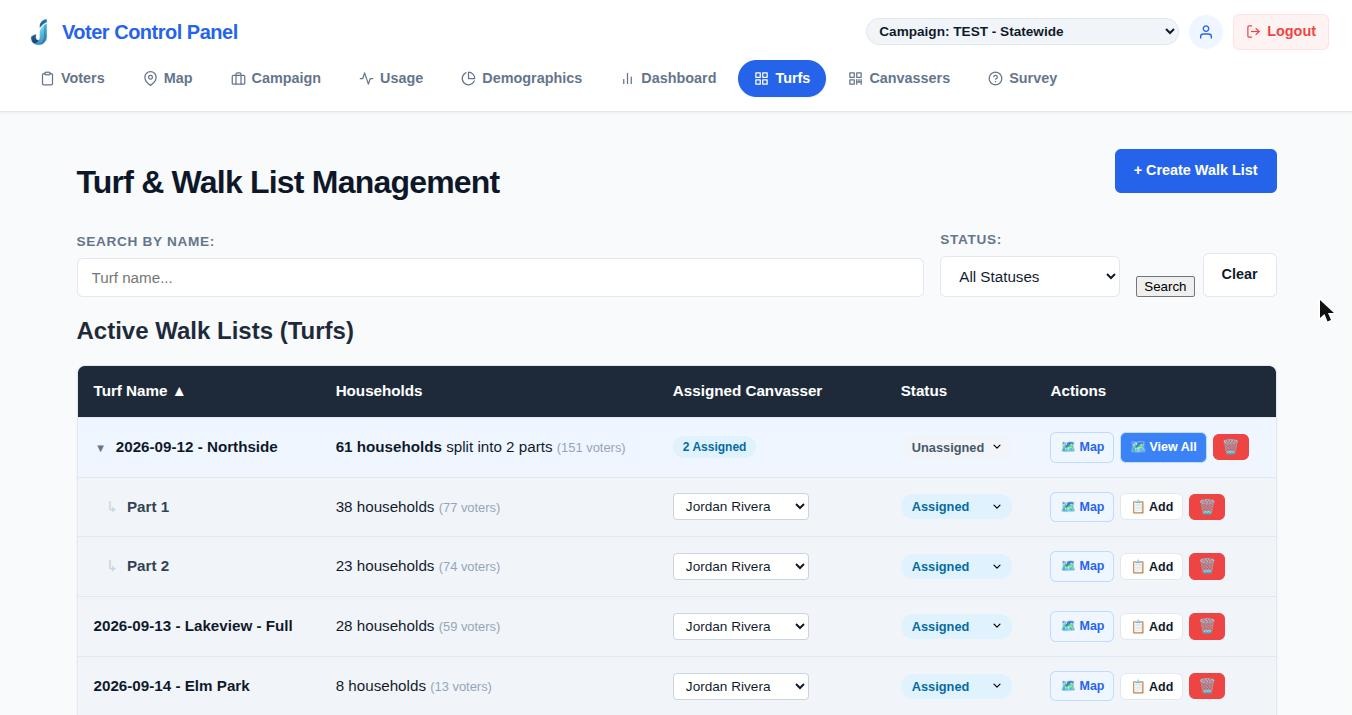 Click to view
 Click to view
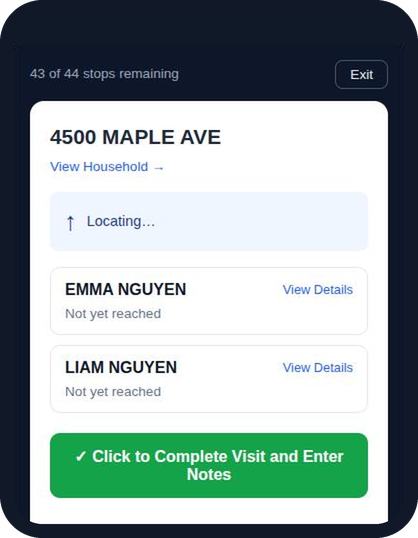
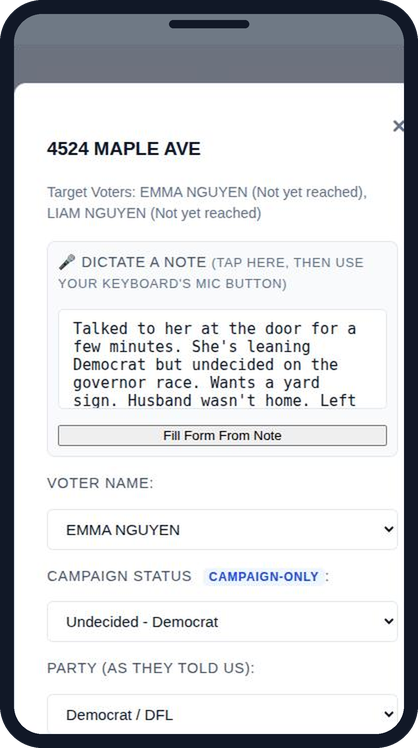
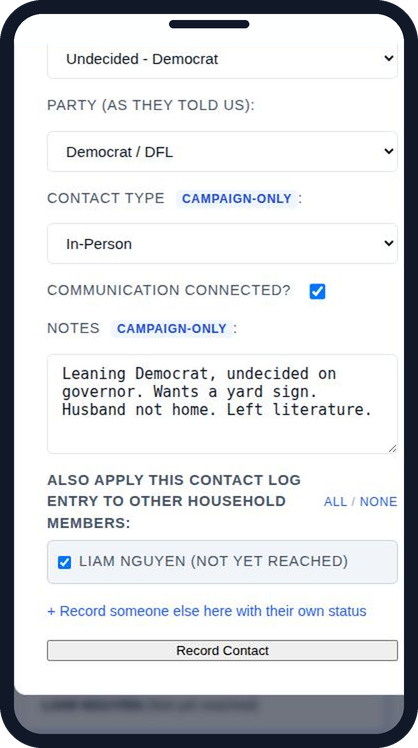
The Volunteer Experience, On Any Phone
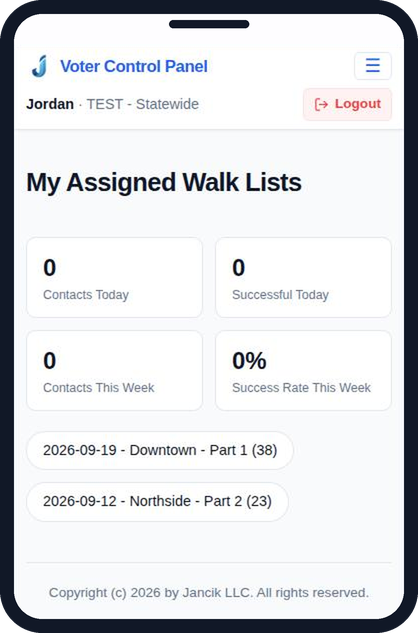
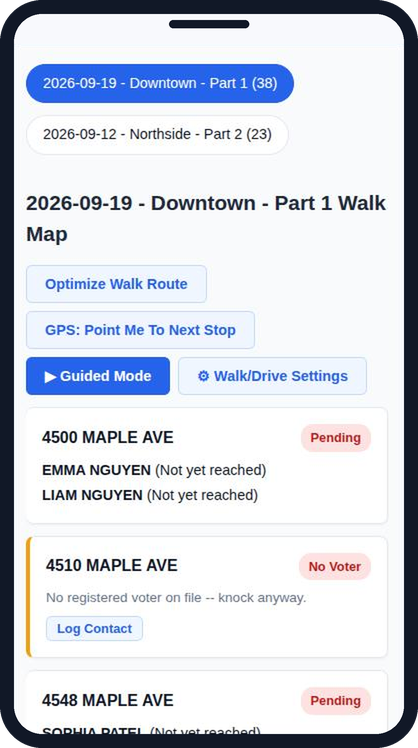
No app to install. Scan a code, follow the route, and dictate a quick note as you walk to the next property.
 Click to view
 Click to view
 Click to view
 Click to view
 Click to view
 Click to view
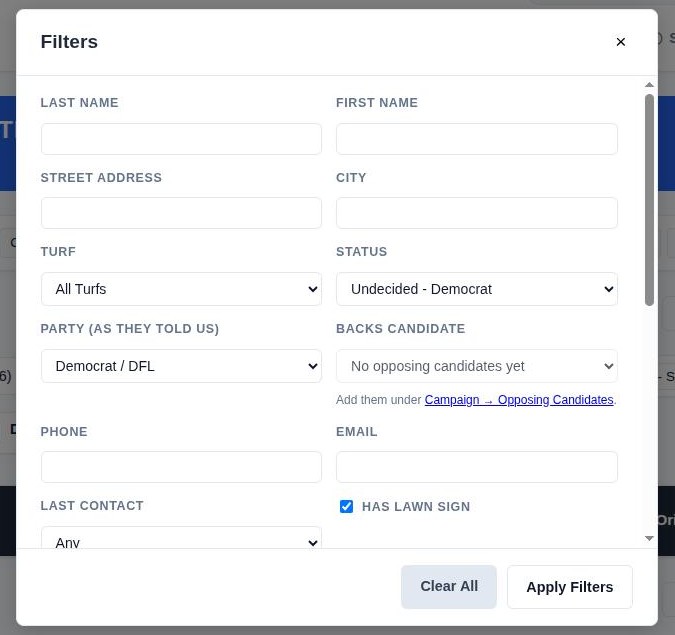
Voter Data, Filters & Export
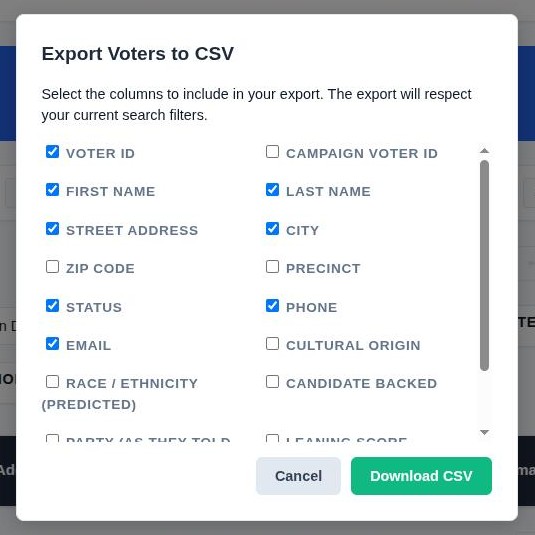
Stack any combination of filters, save the searches you use most, and export exactly the columns you need.
 Click to view
 Click to view
Deeper Insight on Every Door
Beyond the basics, the platform helps you understand your electorate and record exactly where each voter stands.
Precise Support Tracking
Go beyond “support / oppose.” Track detailed statuses, self-reported party, and the candidate a voter backs. Everyone starts as “Not yet reached.”
Demographic Insights
A built-in demographics dashboard summarizes your own voters, a district or a county, and predicted race/ethnicity and cultural-origin estimates help you tailor outreach and language needs.
Find Any Address Fast
Jump straight to a house on the map. If the exact number isn’t on file, we show the nearest ones. Filters carry over between the map and your voter list.
Partisan Index
Each voter gets a −5 to +5 score that blends giving history, how their precinct votes, and name and background signals. Staff see a plain-language breakdown of how it was built.
Donation History on Every Voter
Staff can see the confirmed political donations behind a voter’s score right on their page. Canvassers never see it.
Staff Corrections Always Win
Hand-set values, such as the Partisan Index or predicted sex, always take priority over the model and are never overwritten by a refresh.
Know Who Gives, and Who to Ask
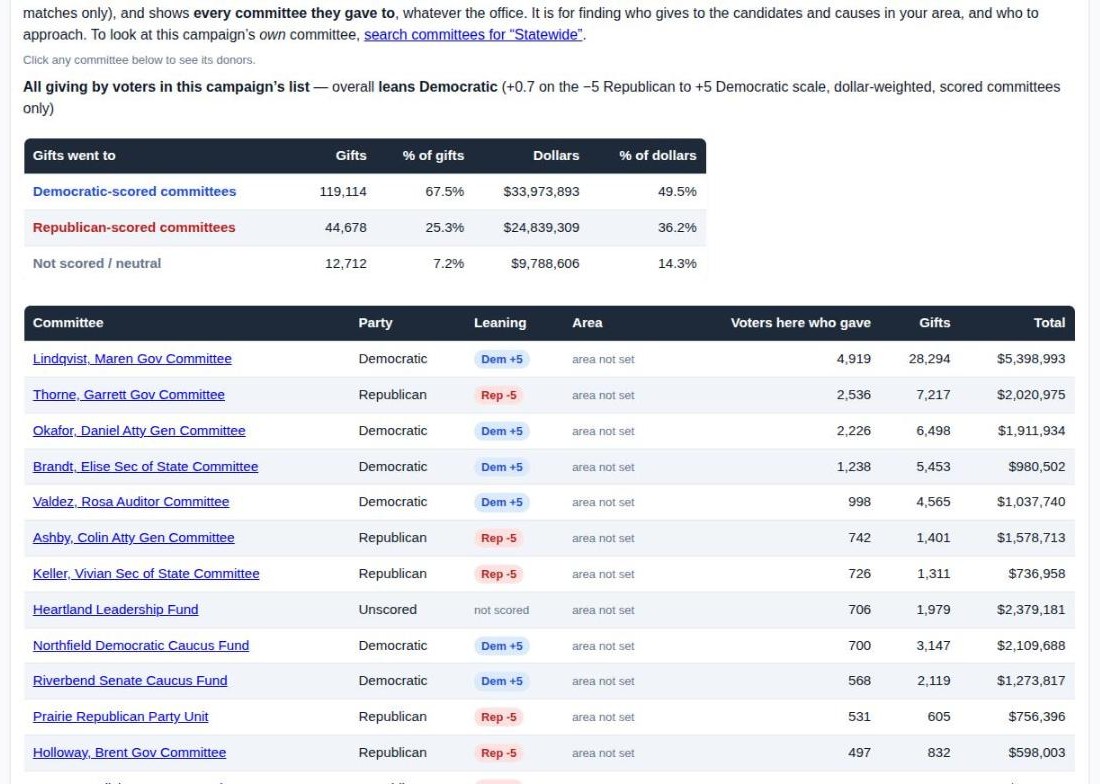
The state’s public campaign-finance records, connected to the voters already in your system, so donor research and voter targeting finally live in one place.
 Click to view
Search Any Committee
Type part of a committee’s name (wildcards work) and see the people on your voter list who have donated to it, sortable and searchable. Or see every committee your own voters give to.
Money Raised, Cycle by Cycle
Totals, average gift, largest donors, top employers and each committee’s take by two-year election cycle, covering every itemized gift in the state’s file.
Inside vs. Outside the District
See how much of a committee’s money came from inside its own district, compare it with other committees in the same race, and spot the biggest outside ZIP codes.
Where Donors Also Give
See the other committees your donors support and how many of their donors have not yet given to yours. Those are people worth approaching.
Crossover Check
Flags donors who mostly give to the other party so you can take a second look: a possible mismatch, a one-off, or a genuine crossover supporter.
Review Unmatched Gifts
Compare a donor’s name, ZIP and employer with possible voters, then confirm, dismiss or undo. Nothing is attached to a voter unless a person confirms it.
Straight about the limits
The state publishes names only for donors who give more than $200 in a year to a committee. Smaller gifts are reported as one lump sum without names, so they cannot appear here. Only confirmed voter matches are used; possible matches are never counted. Donor tools are for campaign administrators and are never sent to canvasser phones.
Onboarding & Management
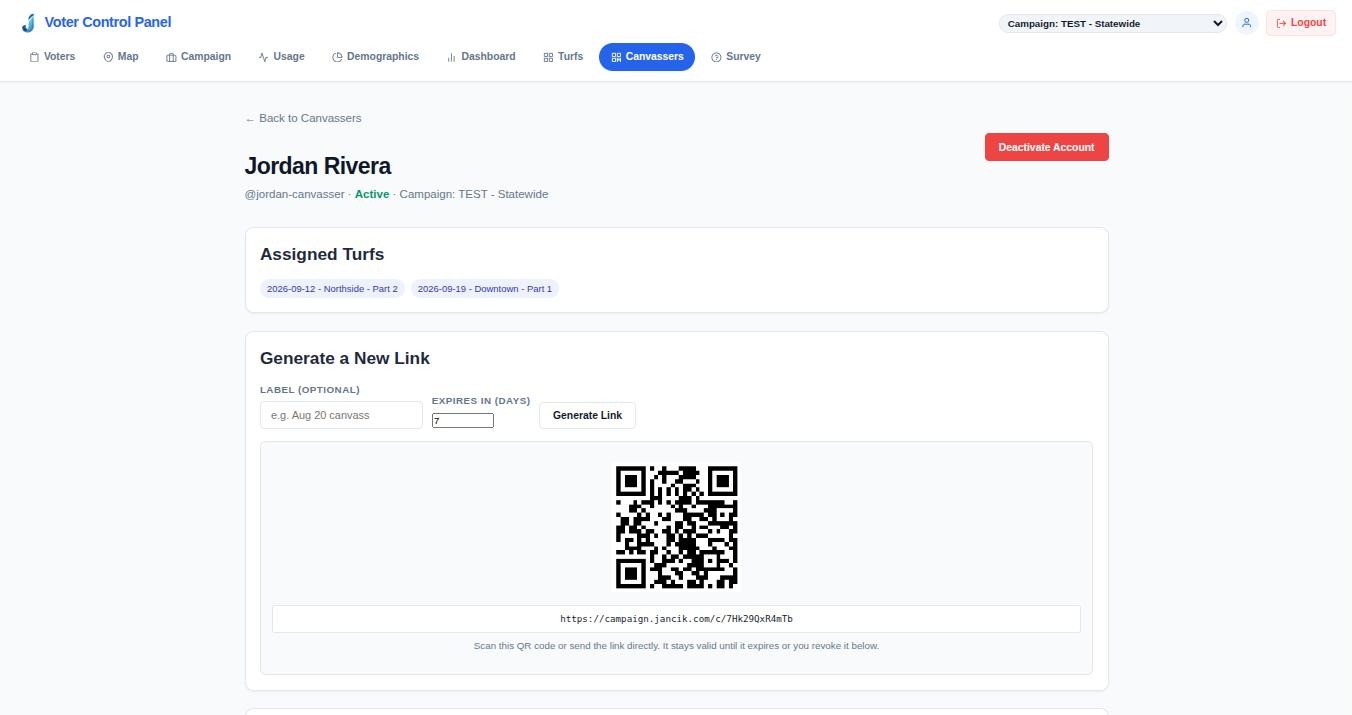
Volunteers join with a QR code; staff manage canvassers, links and access in one place.
 Click to view
Explore the Campaign System
Three short pages, best read in order.
What the platform does and why it beats outdated systems.
Real screens from the live app: maps, walk routes, voice notes and more.
Who can get in, how access is verified, and how voter data stays protected.
Ready to Upgrade Your Campaign?
Join the next generation of data-driven campaigning. Due to state law requirements, an initial vetting conversation is mandatory to ensure compliance.
Contact Ryan for Vetting →